

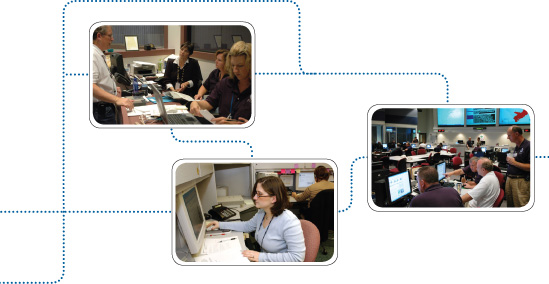
| We all know what a physical Emergency Operations Center (EOC) looks and feels like. The physical EOC is the “nerve center” of the company’s recovery operations. It houses subject matter experts from different areas of the business. Their role is to manage and monitor the response to the event, as well as the overall recovery of the business. The primary function of any EOC is to establish and manage the Four C’s: Control, Communication, Collaboration, and Coordination. So, what does an EOC look like when it “goes virtual”? |
What is a Virtual EOC (VEOC)?
Two key issues are now driving the need for a virtual EOC:
1. The threat of a global pandemic, and
2. Companies whose key employees are dispersed across large geographic areas.
First, what, exactly, is a VEOC?
A virtual EOC takes the physical EOC (people and processes) and moves it into “cyberspace” through a variety of technology tools. What are the advantages to not having “four walls”? There are many.
1. No waiting. The VEOC allows you to begin managing the event immediately rather than waiting for a team to physically assemble in a brick-and-mortar location.
2. Flexibility. Plans, teams, and processes can be changed more easily in a virtual world and meet the fast changing demands of a disaster.
3. Location, location, location. Team members can participate regardless of where they are, as long as they have access to the VEOC tool.
4. Redundancy. If the physical EOC is damaged, response is not delayed.
5. Cost effective. The cost of a virtual EOC can be less than maintaining a physical space.
6. Efficient communication. Senior management, employees, and all EOC teams can get updates in real time and view “live” status boards and briefings.
7. Timely resource deployment. Resources can be deployed quickly and more efficiently, thereby reducing response time and making for a faster recovery.
8. Safe in times of disease outbreak. In the event of a pandemic, key managers are not physically located together, minimizing the spread of disease.
 |
| Why Doesn’t Everyone Have a Virtual EOC?
Sounds great, doesn’t it? So if virtual EOCs are better than sliced bread, why doesn’t everyone have one? There are several downsides of a VEOC to consider: |
1. Utilities. A virtual EOC needs electrical power, telecommunications, and the Internet to work. In a widespread regional disaster such as an earthquake or hurricane, these might not be available.
2. Technology. A VEOC is, in all practicality, dependent on phones, computers, networks, and the company’s data center to bring it all together.
3. Ill-defined process. Migrating the physical process of the EOC into a virtual world may present difficulties for many companies.
4. Isolated silos and independent action. A virtual world may allow for individuals and teams to act separately, thereby violating the operating principles of the Four C’s.
5. Training.There are two main issues in training:
a. Operating virtually is very different than operating physically. Learning new processes that work with virtual teams versus physical teams can pose a challenge to those not comfortable or familiar with that style of work.
b. Training on the technology could be difficult. Since most companies don’t (thankfully) activate very often, software training can be problematic. This is particularly true if the software is cumbersome and not intuitive to the end user.
Are Physical and Virtual EOCs Ever Combined?
Absolutely! A “brick and mortar” EOC can work well in concert with a VEOC. However, it is critical that all processes be well documented, and all work be clearly assigned, in order to avoid overlaps or gaps. A combination model can allow the best of both worlds: the use of subject matter experts who might be geographically dispersed, along with a concentration of support in the physical EOC.
Migrating Ten Critical Processes to the Virtual World
What are the issues to consider when taking physical EOC processes and converting them to the virtual world? What should be in place? A virtual EOC will not cure all ills. If your EOC processes and procedures were not well thought-out or well developed in the “real world,” the road to a virtual world will be fraught with obstacles. In other words, if the current EOC is a train-wreck, the virtual one will be a nightmare!
Virtual or physical, it is still essential to carefully craft the following core processes:
1. Event assessment and activation process and criteria
a. Initial assessment team – Who is on the team and what is the process for activation?
b. Plan activation criteria – What events cause an activation of the plan?
c. Responsibility matrix – Who is in charge of what and when?
d. Communication matrix – Who communicates with whom and when?
2. Clear roles and responsibilities. This is best demonstrated with thoughtful and well-crafted team position checklists, and is even more essential in a VEOC.
3. Tracking status. When team members don’t have the luxury of looking at a physical status board or talking with someone else in casual conversation, it is easy to overlook necessary tasks. How do you keep track of status? How do you communicate that to others?
4. Resource deployment and logistics tracking. This not only includes physical equipment but personnel. What mechanism do you use to track these critical resources?
5. Tracking events or “tickets.” Calls or emails that report issues and events must be tracked and then assigned to a team for follow-up. Who does the triage to teams? Who follows up if the ticket doesn’t get closed in a timely manner? Are tickets visible to everyone who needs to see them?
6. Team Notification. Timely and efficient notification of EOC staff and business unit recovery teams is critical. How is that done and how are the results tracked? A notification system quickly enables that process.
7. Monitor news and media. With today’s media on alert 24×7, every EOC must monitor news reports and develop appropriate responses promptly.
8. Integration of maps, floor plans, and real-time images. If your physical EOC is dependent on maps and floor plans, it’s necessary to find a tool to make them available in a virtual setting. Real-time photographs of an affected site or other pertinent images could be invaluable.
9. Report development. This could include end-of-shift, executive, and team reports.
10. Action planning. These essential planning sessions include the documentation of the current situation status, development of the strategic objectives, assignment of those objectives to a specific team owner, and the time and duration of the operational period (the time the team works on their objectives before coming back together).
 |
| What Type of Technology Do You Need?
Some companies use telephone bridges and call that a VEOC. Phone bridges (landline or VOIP – Voice Over IP) are an essential part of a VEOC, but they are only one aspect and by themselves, do not address the ten essential processes noted above. |
Telecommunications
It takes more than just one phone bridge to be successful. Ideally, bridges should be created for: the Initial Assessment Team, the entire VEOC, and senior management. In addition, if the EOC is operating using the Incident Command System (ICS) structure, there should be one bridge per team (Command, Operations, Logistics, Planning & Intelligence, and Finance).
Web Communication Tools
The following tools are Internet-based and facilitate communication and status:
- Instant messaging (IM) – Whether on the company’s network or using one of the free web-based products, instant messaging allows teams to “talk in real time,” allowing real-time virtual communication, coordination, and collaboration.
- Web-enabled meeting tools – Web meeting products can assist in facilitating virtual briefings and team organization.
- Project management tools – There are software products that allow people to work virtually, track actions and document progress.
- Your own company’s VEOC website – This solution could allow for status boards, tracking, reports, and even allow creation of an Incident Commander’s blog.
|
VEOC Software If VEOC software is not intuitive, it will create difficulties when it is used, especially when an EOC is not activated often. Ideally, there would be some “regular” use of a VEOC software product in the company to ensure that users would be familiar with the product when an emergency occurred. When evaluating a software tool, look for the following characteristics
VEOC software should be able to perform the following functions: 1. Centralized command and control 8. Store multiple contact lists (employees, team members, critical vendors, key stakeholders) VEOC Software Options |
|
Going Forward Into the Brave New World
A VEOC, whether it be stand-alone or in concert with an existing physical EOC, offers many advantages. It is critical to go back to the roots of why command centers are needed in the first place – the Four C’s: Control, Communication, Coordination, and Collaboration. If you can design a virtual process that embraces the Four C’s, you’re almost there. Put your seat belts on – it’s a brave new world!
Recommend0 recommendationsPublished in Enterprise Resilience




Leave A Comment
You must be logged in to post a comment.